
Operations center
Rental Summary Dashboard
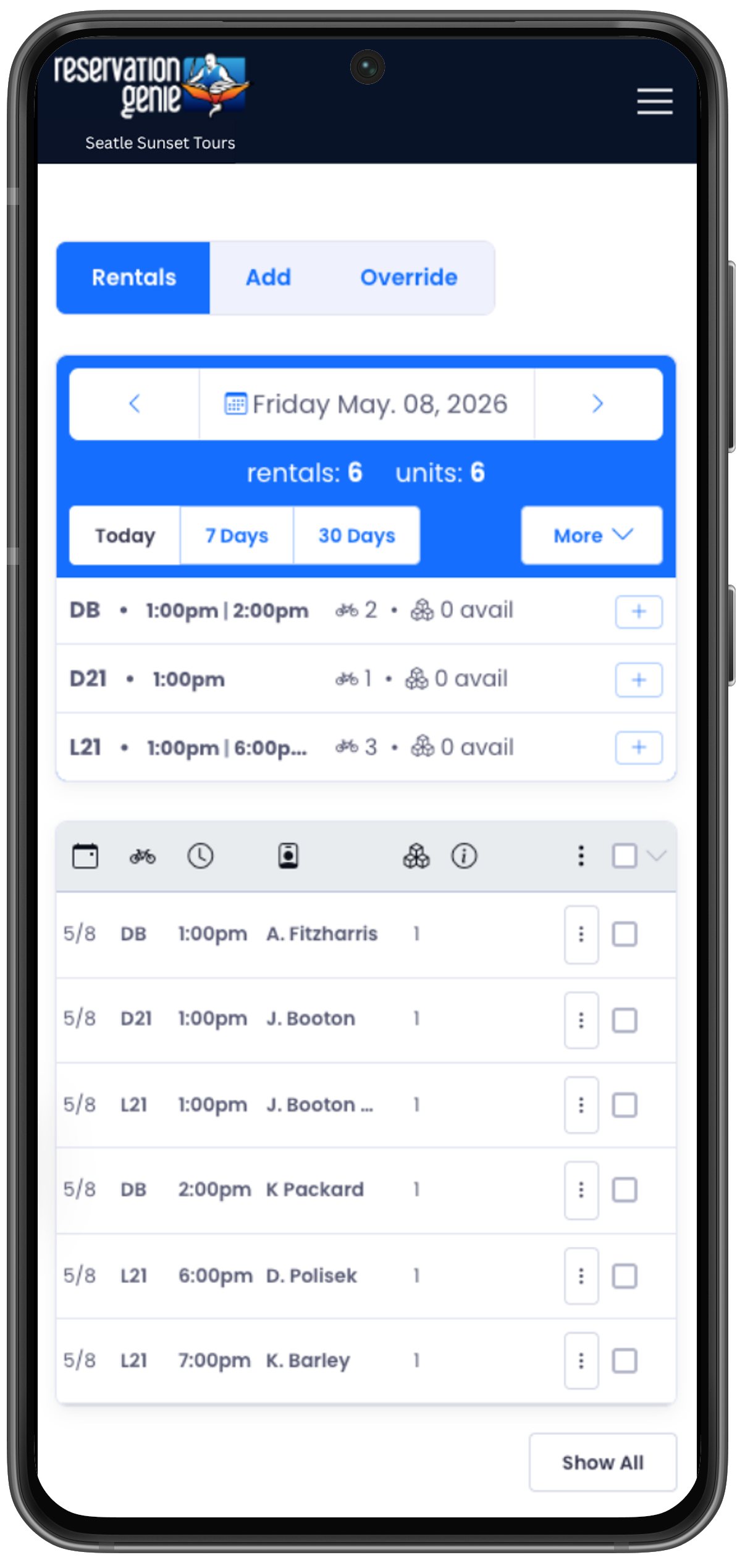
Start every day knowing exactly where your fleet stands. The rental summary grid shows each kayak and paddleboard as a card — at a glance you see the booking window, how many reservations you have, and how many boards are still available. Click any card to filter the table to just that item, or hit the quick-add button to drop a new booking right in.
Per-Rental Cards
Each kayak, tandem, or paddleboard gets its own card showing its name, active launch window, reservation count, and units available.
Click-to-Filter
Tap any rental card to instantly filter the reservation table to just that item — no dropdowns, no extra steps.
Quick-Add per Rental
Each card has an "Add Reservation" shortcut that pre-selects the rental for you.