Rentals · Schedule Management

Schedule Management
for Rental Operators

Set your rental schedules once, manage availability by the day, and override any unit's capacity without touching the base schedule.

Duration-based scheduling

Set your rental durations and let available start times calculate automatically from your fleet.

Date-specific overrides

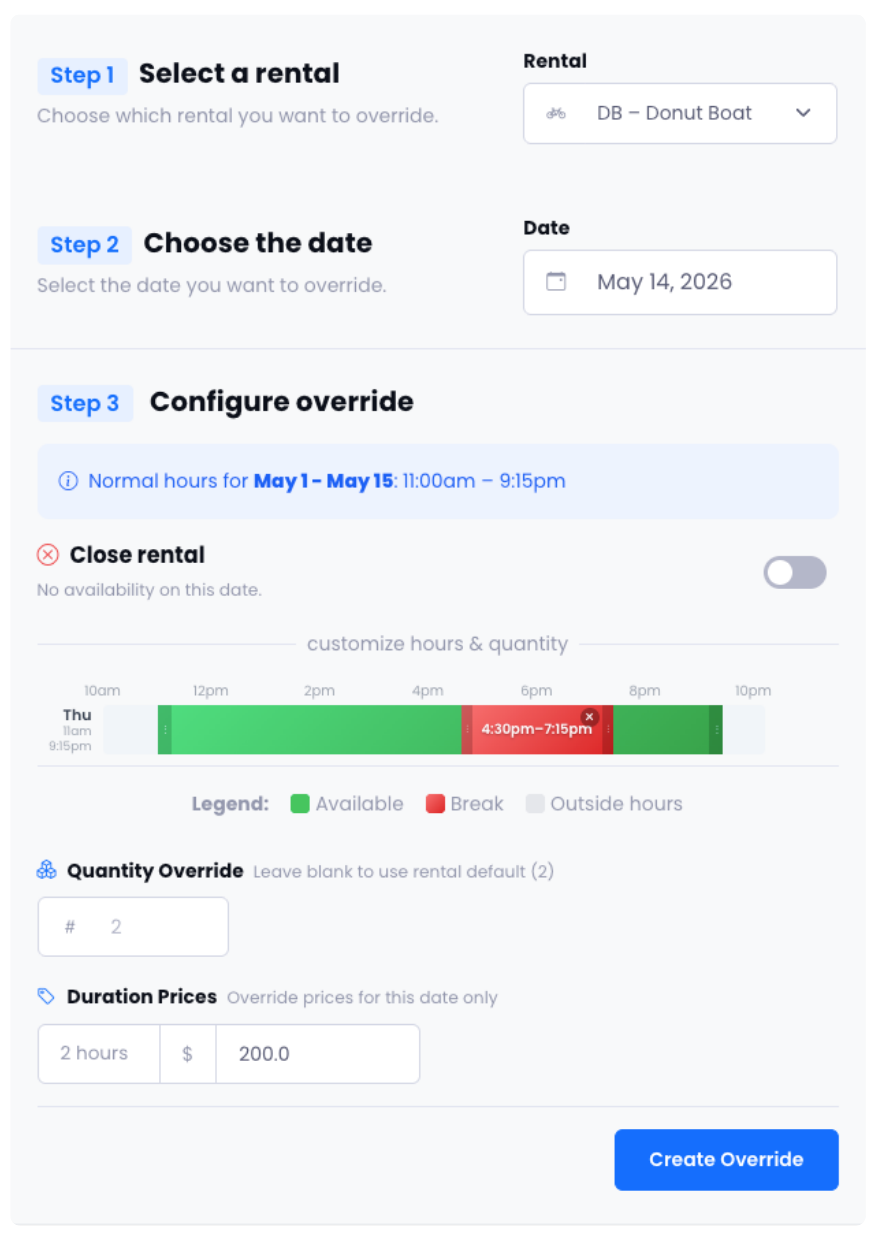
Reduce units for maintenance, close windows for holidays, or add capacity for a special event — without disrupting normal days.

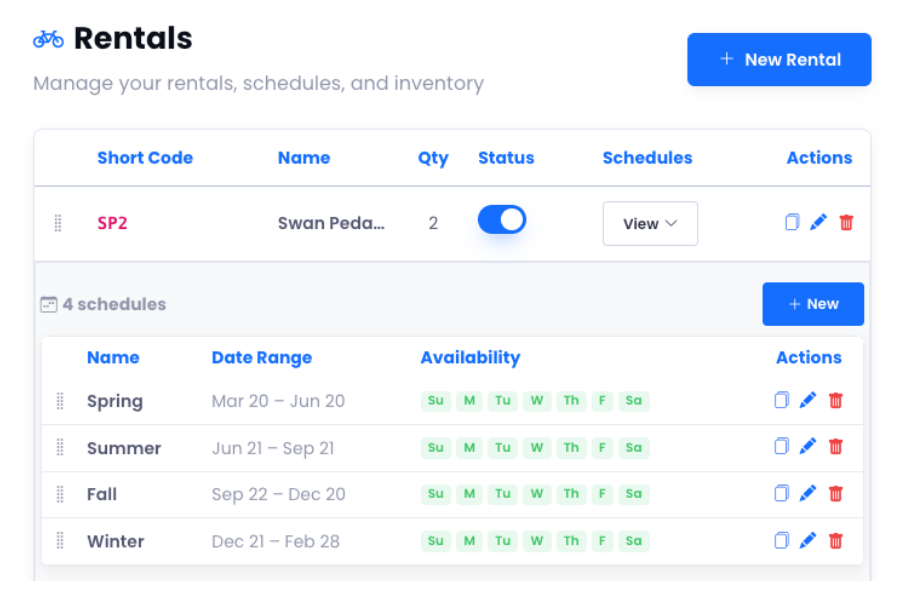
Fleet summary view

See all rental items, unit counts, and availability at a glance. Click any card to filter to just that rental.
Rental scheduling

Scheduling Tools

Your fleet. Your schedule. Your rules.

Duration-based booking, date-specific overrides, and a fleet summary that tells you exactly where things stand.

Day-by-day control

Custom Weekly Schedules — Built Around How You Actually Operate

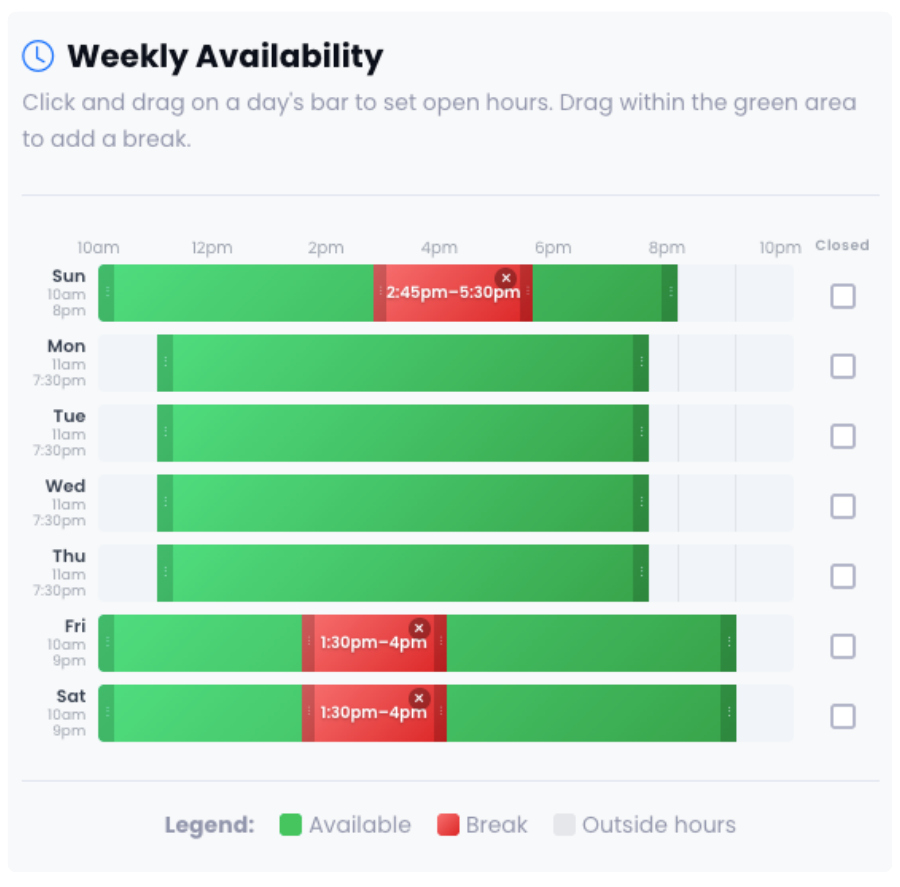
Set different hours for every day of the week, add as many breaks as you need, and assign a date range so the schedule activates automatically each season. No more manual updates every time your hours change.

Per-Day Open Hours

Configure a unique start and end time for each day of the week — run longer hours on weekends, close early on Mondays, or mark any day as closed entirely.

Multiple Breaks Per Day

Block off a lunch window, a staff changeover, or any mid-day gap. Each day supports as many break periods as you need — they're excluded from bookable time automatically.

Seasonal Date Ranges with Annual Repeats

Assign a start and end date to each schedule — perfect for summer vs. off-season hours. Mark it to repeat annually and it reactivates on its own, year after year.

Custom weekly schedules
Rental schedule overrides
Date-specific control

Rental Schedule Overrides

Fleet getting maintenance on Thursday? Holiday weekend bringing extra demand? Override any rental's availability by date — reduce units, close windows, or add capacity for specific days without touching your regular schedule.

"Makes managing our busy season and maintenance days effortless."
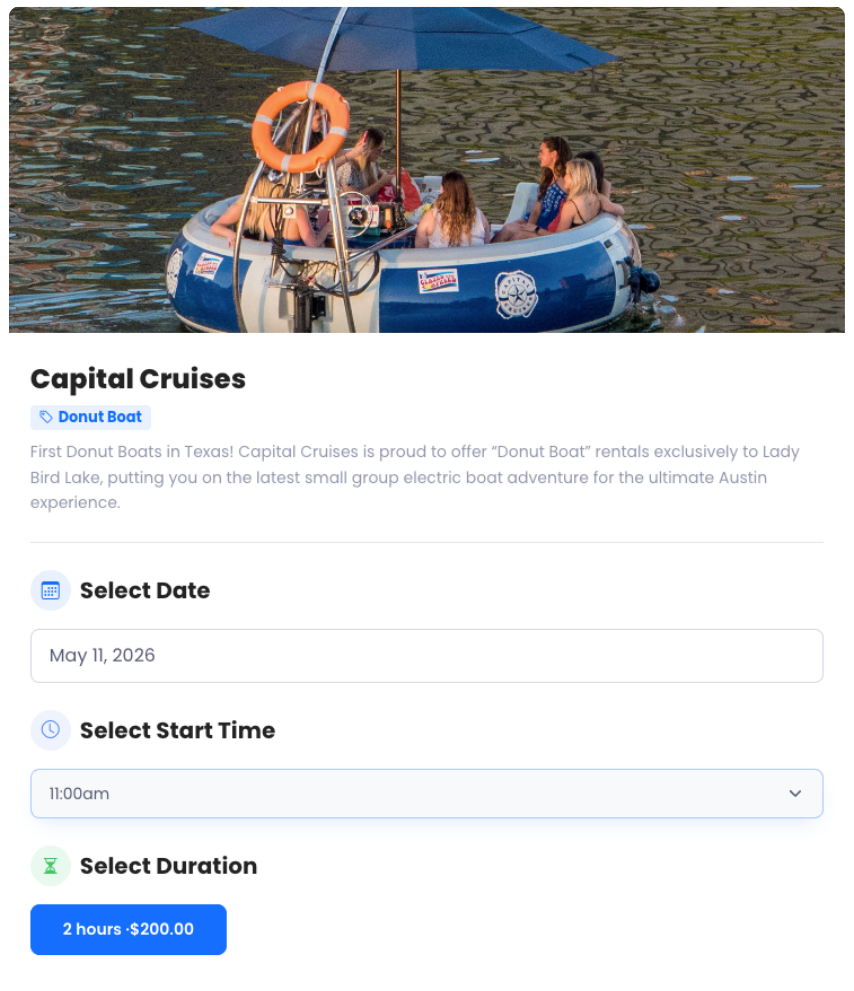
Duration-based booking
Duration & quantity

Duration-Based Booking

Set the durations you offer per rental — 1 hour, half day, full day — and available start times populate automatically from your fleet size. Guests pick a duration, choose a start time, and set quantity. No spreadsheet math, no double-booking risk.

Custom durations Auto start times Quantity tracking

Ready to Simplify Your
Rental Scheduling?

See how easy it is to manage your fleet availability and daily overrides with Reservation Genie.